LINK Logistics PIM App
Building PIM from the Ground Up

CLIENT
Link Logistics
UX/UI Designer

WHAT I DELIVERED
UX Design, Design System, Branding
UX/UI Designer
TOOLS
Figma, FigJam, Maze, Adobe Photoshop, Adobe Illustrator
UX/UI Designer
From Concept to Reality: Designing a Scalable Portfolio Management System
INTRODUCTION
Next
The Challenge
About Link Logistics
Link Logistics is a real estate investment platform owned by Blackstone, specialising in industrial and logistics properties across the U.S. Founded in 2019, it has since become one of the largest owners of logistics real estate in the country, managing a portfolio of over 500 million square feet of strategically located warehouses, distribution centres, and last-mile delivery hubs.
Project Overview
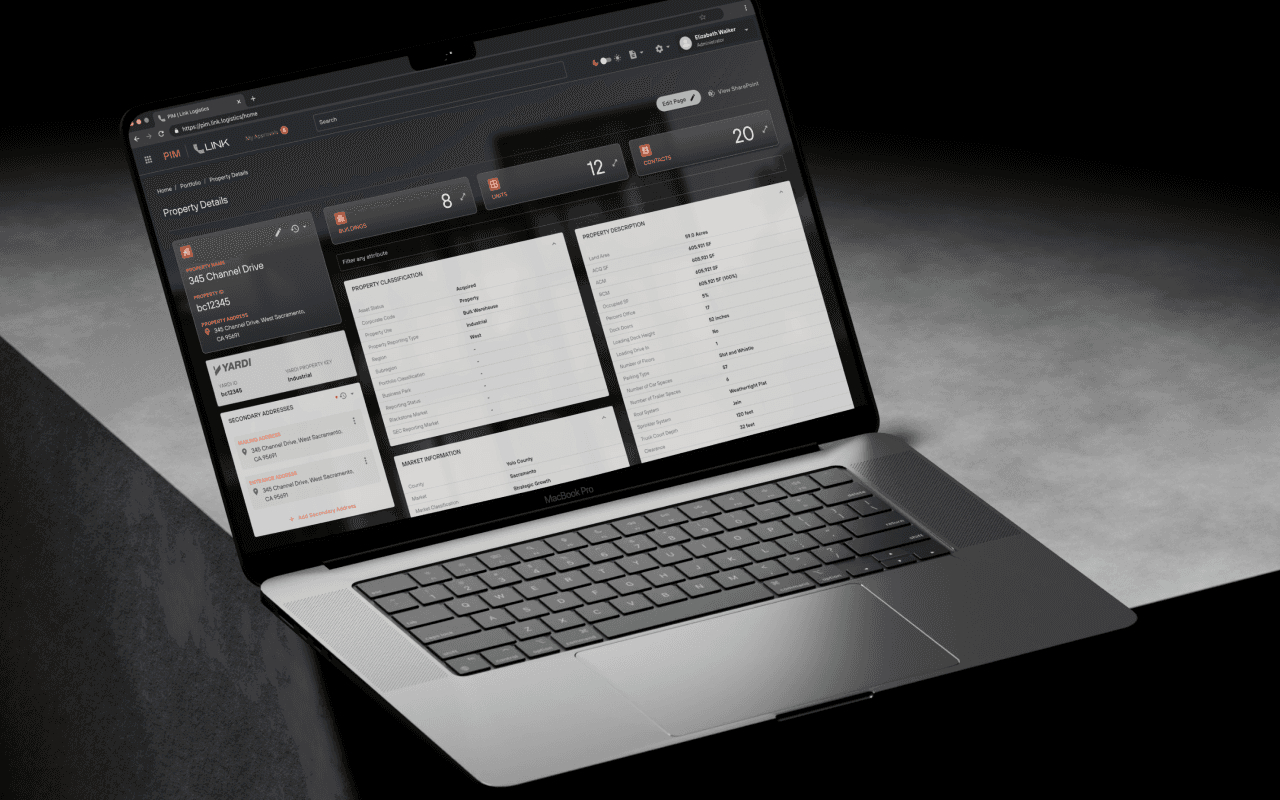
PIM is a real estate portfolio management platform designed to streamline property data management, approvals, and integrations with Yardi. The platform was built from 0 to 1, meaning every UX/UI decision had to be designed from scratch with no pre-existing system.
As the sole UX/UI Designer, I led the design process, defining the user experience, interface design, and interaction flows, ensuring seamless collaboration with developers and stakeholders.
Key Details
ROLE
UX Designer
UX/UI Designer
timeline
9 months
UX/UI Designer
team
Product Managers, Developers, Yardi Integration Team, Business Stakeholders
UX/UI Designer
platform type
Enterprise Web Application
UX/UI Designer
I also worked on bank administration. The design files include wireframes and UI for setting interest rates, organising savings products, managing the general ledger and controlling user access.
These screens use tables, forms and grouped settings within a clear navigation structure. They contain more information than the mobile banking screens. Staff need to understand which record they are viewing, how it is set up and what they can do next.


My UI work included account screens, payments, onboarding and product selection on mobile and web. The designs place account summaries above more detailed activity. Text sizes, spacing and grouping help separate the information on each screen.
The mobile designs use a compact layout with navigation at the bottom. On the web, there is more room to show navigation, account summaries and transactions side by side. The layouts reflect the space available on each device.
Project Goals
To design a powerful yet intuitive platform that allows users to:
Manage real estate portfolios efficiently.
Submit and approve property updates seamlessly.
Integrate with Yardi for real-time data accuracy.
Support white-label branding for different Blackstone portfolio companies.
Since PIM was a 0 to 1 project, we needed to deeply understand user needs before designing any features. Our goal was to ensure that the platform would be intuitive, scalable, and optimized for real estate portfolio management workflows from day one.

User Research & Stakeholder Interviews
I conducted interviews and surveys with:
5 Property Managers
3 Market Officers
2 Admin Users

Key Insights from Research
Property managers struggled to track property data across multiple tools.
Approval workflows were inconsistent and relied on email chains.
Executives needed an overview of pending approvals without digging through multiple systems.
A flexible but structured UI was required to scale across different portfolio companies.

Since we were designing from scratch, we had to take a methodical approach to ensure the platform met the needs of various user roles while remaining scalable and easy to navigate:
Define the information architecture by structuring data flows and organizing content for seamless navigation.
Establish a scalable navigation system with a hierarchical menu, quick-access shortcuts, and contextual elements.
Ensure intuitive interactions with usability testing, feedback-driven microinteractions, and minimal cognitive load.
Optimise enterprise efficiency by streamlining workflows, reducing redundancies, and supporting bulk actions.
User Flows & Wireframing
I mapped out the end-to-end user journey, ensuring:
Intuitive Portfolio Navigation to quickly access properties.
A clean approval process that minimized decision fatigue.
Enhancing the User Journey
Advanced search & filtering to improve property discoverability.
Inline editing & real-time validation for efficient data entry.
Bulk approval & role-based permissions for faster decision-making.
User activity logs for better tracking of changes and approvals.

Building a Flexible, Scalable, and Intuitive UI
UI DESIGN & PROTOTYPING
Next
Key Challenges & Solutions


Establishing a Design System
Since PIM was a new platform, I used the Google Material Design system as a quick start for both the developers and me. I then customised it progressively, creating a scalable design system that ensured:

Key Screens
1. Sign-in with Okta
2. Property Creation
3. Portfolio Navigation
4. Property Details
5. Building & Units
6. Contacts
7. My Approvals
8. My Account
9. User Security & Permissions
10. Property Reports
11. Email Notifications


Stakeholder Feedback
Property managers found the dashboard intuitive
Executives loved the batch approval system, reducing review time by 40%.
Admins appreciated the role-based permissions setup.
01
Designing for Multiple User Roles
challenge
Different users (property managers, market officers, executives) had distinct needs.
solution
Created custom dashboards and role-based access control (RBAC).
02
Creating an Intiutive Approval System
challenge
The old email-based approval process was slow and inconsistent.
solution
Introduced bulk approvals and an inline approval pop-up.

Seamless Property Management in Action
See how a Property Manager updates a property's name and address while an Approver swiftly reviews and approves the changes.
03
Balancing Simplicity with Enterprise Functionality
challenge
Enterprise tools tend to be overly complex.
solution
Used progressive disclosure and a clean, structured layout.

04
Designing a White-Label Solution
challenge
The platform needed to support multiple portfolio companies.
solution
Built a flexible design system allowing custom branding.

Transforming Enterprise UX from the Ground Up
Conclusion
Building PIM from 0 to 1 was a challenging but rewarding experience. By focusing on user research, scalable design, and usability improvements, we created a powerful, efficient, and intuitive real estate management platform.
Key Takeaway
A well-designed enterprise UX strategy can transform complex workflows into a seamless digital experience.