Enes Gundogdu
Product Designer
BERMWOOD / WALGREENS / ENTERPRISE SOFTWARE
Connecting fragmented
real estate operations.
Velocity was created to replace spreadsheets, email chains, legacy software and disconnected vendor tools with one scalable platform for real estate operations. I joined early and led product design from concept to production-ready delivery.
MY ROLE
Lead UX/UI Designer
End-to-end product design, design system and branding
CLIENT
Bermwood Technologies
Enterprise SaaS
DELIVERY
Concept to production, 9-month initial Walgreens build
Information architecture, workflows, interaction design, UI, prototypes and design system
01 Product overview: property context, deal information, documents and next actions in a historical Walgreens screen.
01 The Problem
High-value portfolios were being managed through outdated workflows.
The scale of the portfolios had outgrown the way teams managed the work.
Property records, lease information, inspections, budgets and documents were spread across multiple systems. Approvals and follow-up work often moved through email and manual processes.
That fragmentation made it harder to see the full picture, keep reporting consistent and trust whether information was current. It slowed decisions, duplicated administrative work and increased the risk of mistakes.
Scattered information
Related records and documents sat in different systems, making the full context harder to find.
Slow approvals
Email chains and manual handoffs made decisions harder to move forward and track.
Limited portfolio visibility
Disconnected information made it difficult to understand what needed attention across properties and teams.
Repeated admin work
Fragmented processes created duplicate effort and repetitive administrative tasks.
Inconsistent reporting
Teams had less confidence in live data and in the information used for operational decisions.

Legacy approval forms required teams to manually compile property and lease information before decisions could move forward.
THE SOLUTION DIRECTION
Bring critical real estate workflows into one enterprise platform. Connect the information with the actions around it, while creating a foundation that could support different customers and future modules.
About the product
That fragmentation made it harder to see the full picture, keep reporting consistent and trust whether information was current. It slowed decisions, duplicated administrative work and increased the risk of mistakes.
My responsibility
I led the product design across information architecture, workflows, interaction design, UI, prototypes and the design system. I worked with stakeholders on requirements and with developers on interface behaviour. I also designed the Velocity identity and iPhone app icon.
PROJECT GOALS
Make complex operations easier to manage.
Connect the work
Centralise critical workflows and improve visibility across portfolios and teams.
Reduce operational friction
Reduce repetitive admin and manual processes, and help approvals and decisions move faster.
Support future growth
Create a scalable foundation for new modules, with a modern, consistent experience for enterprise users.
Success meant: helping users work faster, make better decisions and trust the data they relied on every day.
These were the project’s goals. The delivery and outcomes section distinguishes the confirmed rollout from improvements that require measured evidence.
This case study covers the shared platform. Walgreens provides the initial enterprise rollout context; Link Logistics supplies the development-project design examples. PIM is a separate product case study.
02 People & Tasks
One platform. Several ways of working.
The key differences were in responsibility, information needs and working environment. I designed around those differences, from administrators defining a process to inspectors recording findings on site.
I worked across the platform from early concepts to production delivery. My work connected the overall structure with the details inside each module, from navigation and data tables to tasks, status and reusable components.
RESPONSIBILITY
WHAT MATTERS TO THEM
DESIGN RESPONSE
Configure the process
Define rules and evidence requirements before others use them.
Reusable templates, workflow settings and validation.
Prepare and manage work
Gather information and follow a deal or project through its lifecycle.
Connected record views, documents and visible status.
Review a decision
Understand the request, its evidence and the action required.
Approval tasks, process context and step-level detail.
Plan the finances
Understand the latest outlook and how it differs from the baseline.
Financial comparisons, versions and review states.
Inspect in the field
Capture findings and supporting media while on site.
Tablet-specific inspection approaches.
These are task groups represented in the design work, rather than formal research personas.

Platform architecture: show the relationship between portfolios, properties and associated records, with permissions, notifications and workflows supporting the experience.
06 Project Impact
From early concepts to enterprise rollout
Velocity moved into production for large-scale real estate operations.
One of the major implementations was for Walgreens. The portfolio scale gives context to the level of data and operational complexity the platform needed to support.
IMPACT AT LAUNCH (2022)
0+
Stores in the client portfolio
$0.0B+
Approximate annual rent in the project context
IMPACT TODAY
0+
Stores in the client portfolio
0+
Deals
0+
Transactions
0+
Active users
These figures describe the scale of the Walgreens implementation. They are not measures of improvement caused by the design.
For me, the most meaningful outcome was seeing the product move from early design work into use at enterprise scale. Workflow-specific results belong in the relevant implementation case study, where their context and measurement can be explained.
Platform architecture: show the relationship between portfolios, properties and associated records, with permissions, notifications and workflows supporting the experience.
07 Reflection
Deciding where complexity belongs.
Velocity moved into production for large-scale real estate operations.
Designing Velocity changed how I think about platforms. A simpler interface does not remove the complexity of the work. It helps users understand the part that matters to them at that moment.
The challenge was to create patterns that worked across the product and could continue to support it as new workflows were added.
Working with stakeholders also taught me how much needs can vary across teams and customers. Understanding those differences helped me decide what should be shared across the platform and where a workflow needed its own approach.
The design system had to support that balance. I focused on reusing familiar patterns while allowing room for more complex needs. Discussions with stakeholders and developers helped me decide when to reuse a component, adapt an existing pattern or introduce something new.

08 Product Deep Dives
The platform story continues
These focused stories will explore individual workflows in more detail.
Inspection Scheduling
Planning and coordinating inspections across properties and teams.
Separate case study
COMING SOON
Workflow Engine
Configuring approval steps, conditions and responsibilities for enterprise workflows.
Separate case study
COMING SOON
Leasing Assumptions
Entering, reviewing and comparing assumptions used in leasing decisions.
Separate case study
COMING SOON
03 Key Design Decisions
How the platform took shape.
The important choices were about how people found information, understood their responsibilities and moved work forward.
I worked across the platform from early concepts to production delivery. My work connected the overall structure with the details inside each module, from navigation and data tables to tasks, status and reusable components.
Property data
Transactions
Projects
Inspections
Lease administration
Workflows & approvals
Platform architecture: show the relationship between portfolios, properties and associated records, with permissions, notifications and workflows supporting the experience.
Interviews
Explore how drivers interpret restrictions and what makes them hesitate.
Surveys
Understand reported confusion, time pressure and concerns about parking fines.
Contextual inquiry
Observe the task where it happens, with real signs and competing demands.
WHAT THIS MEANT FOR THE DESIGN
A short answer needed an explanation behind it. Drivers should be able to check the rule, not just accept the result.
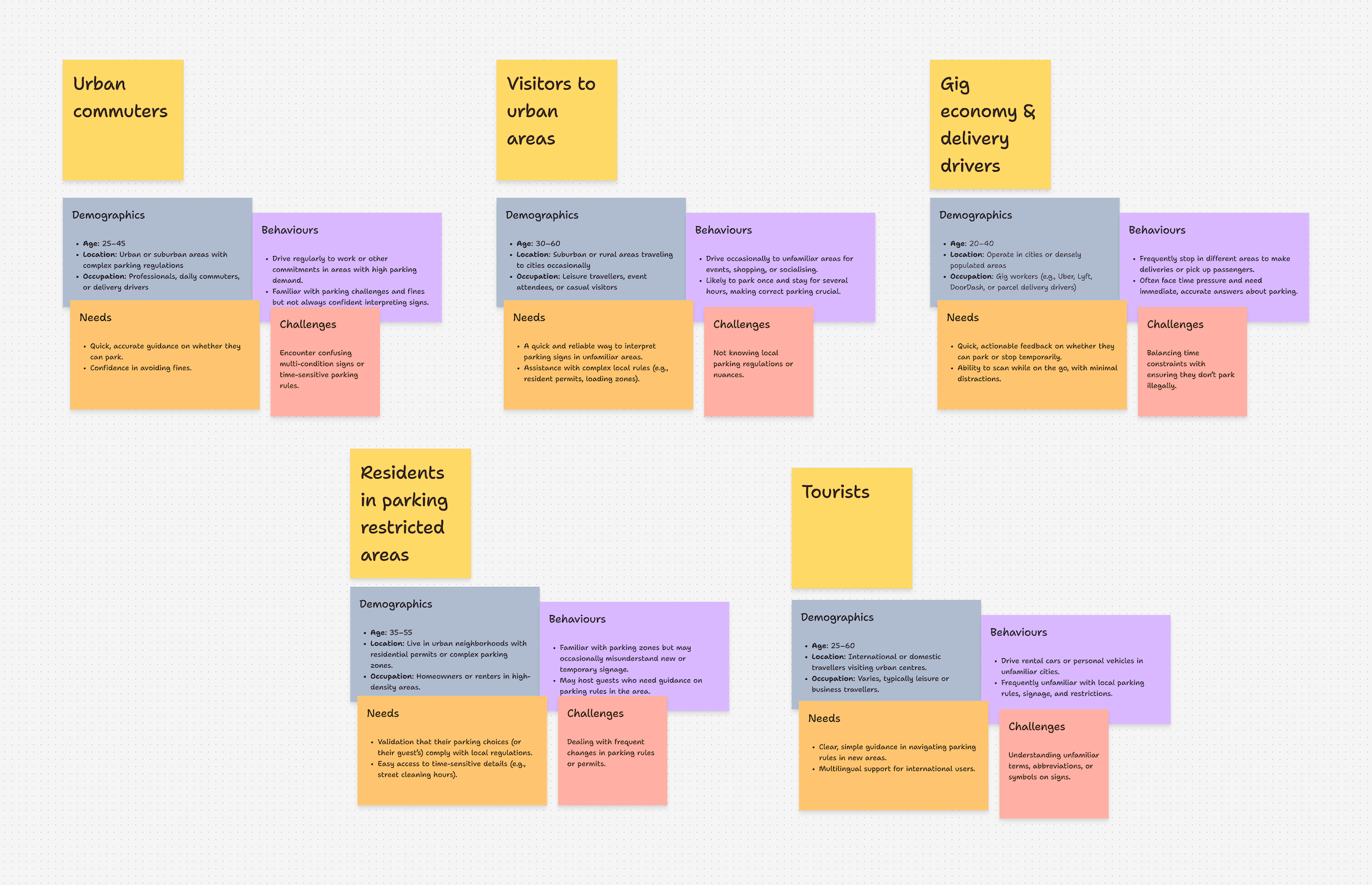
ParkAid research articaft 01
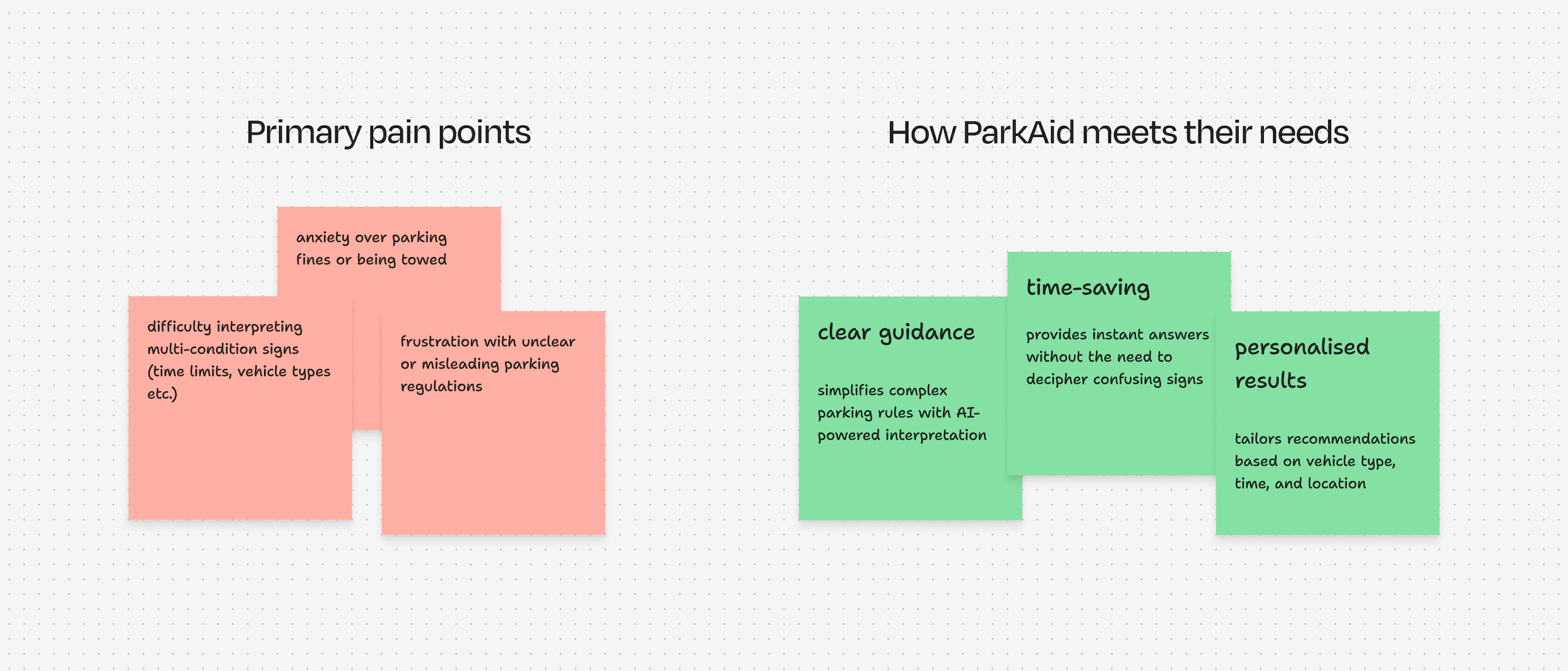
ParkAid research articaft 02
03 The Solution
Scan. Check. Understand.
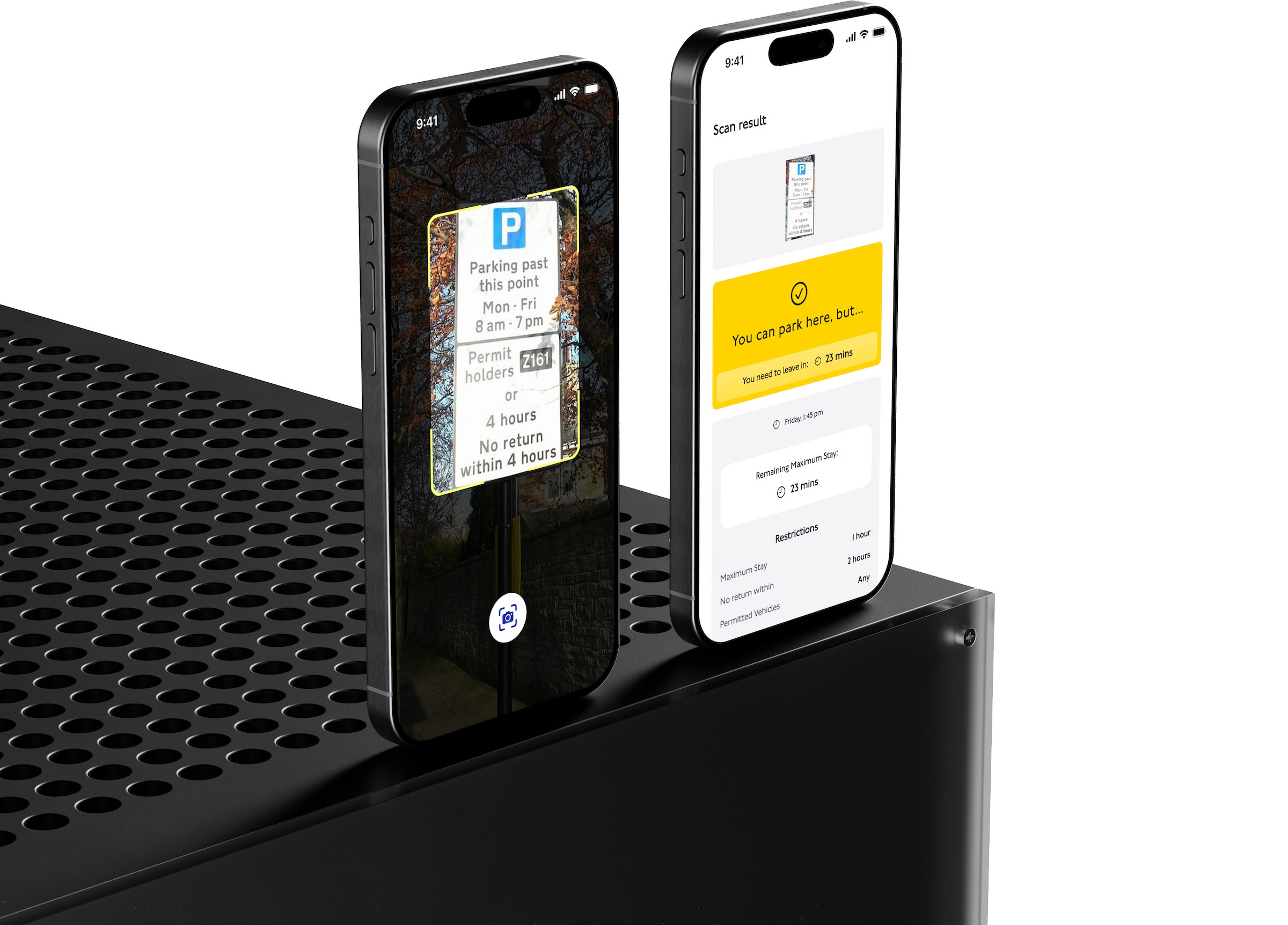
A focused journey from the parking sign to guidance the driver can inspect.
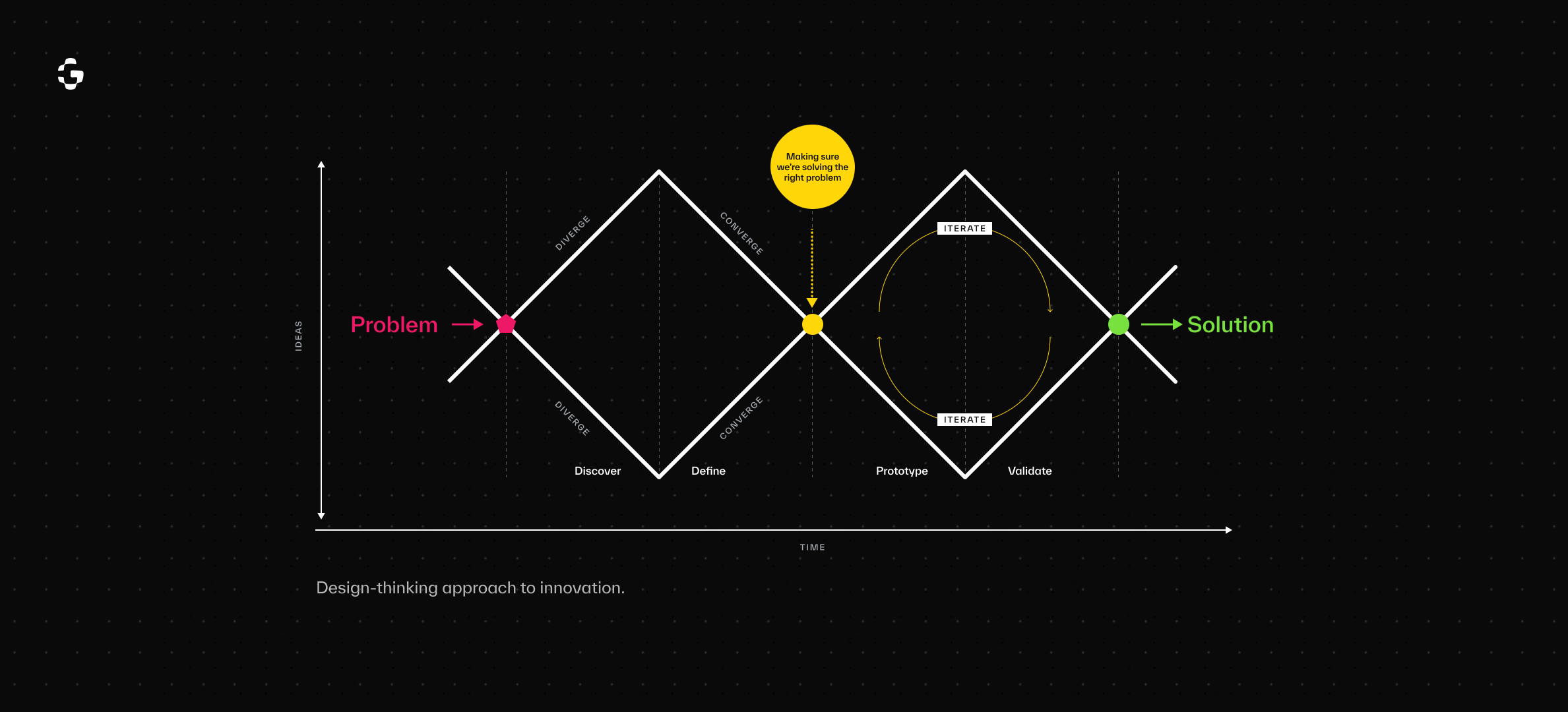
Early design exploration
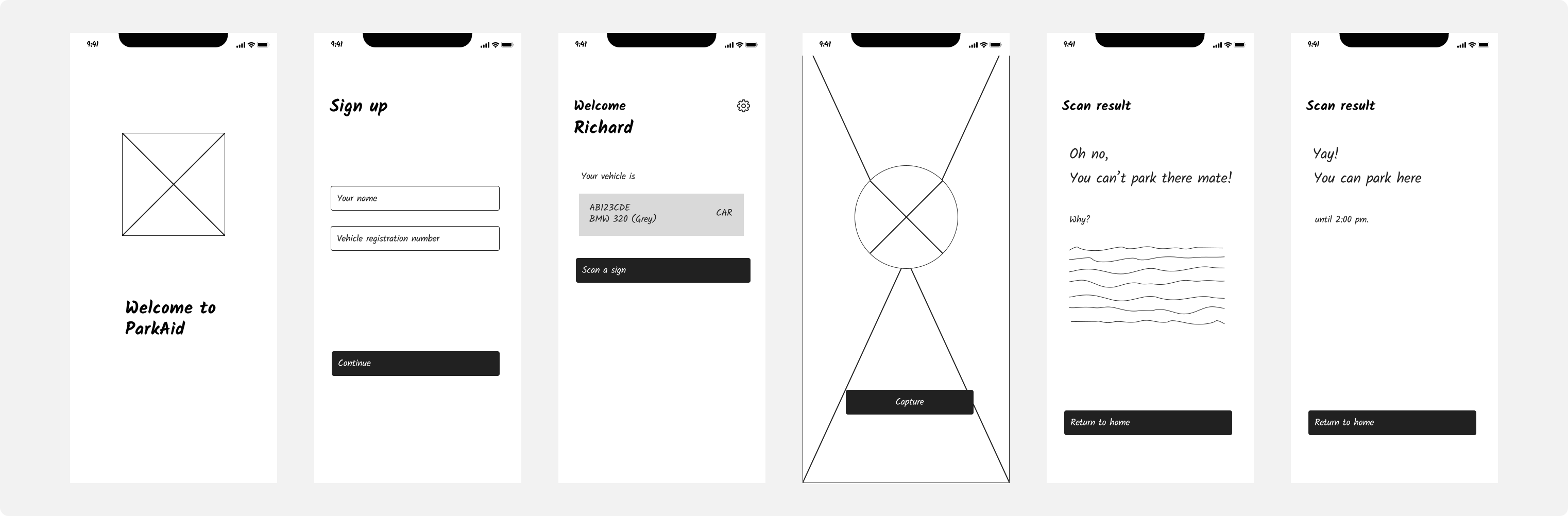
ParkAid wireframes and prototype screens
Capture the sign
01
Start with a photo of the parking restrictions.
Check the image
02
Confirm the text is clear before interpreting it.
Read the result
03
See the parking status and explore the relevant conditions.
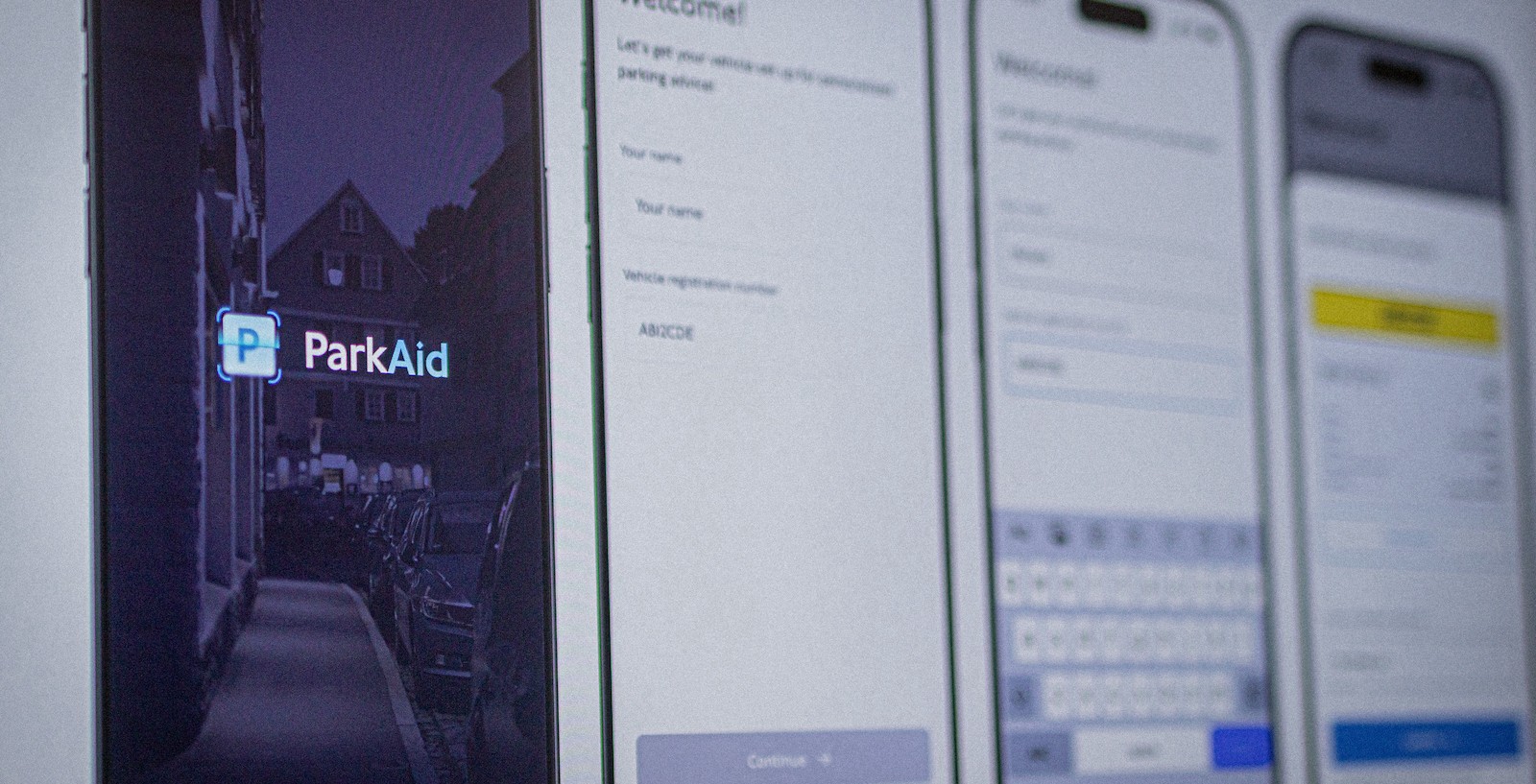
Original ParkAid high-fidelity designs
03 Design Decisions
Making the answer easier to trust.
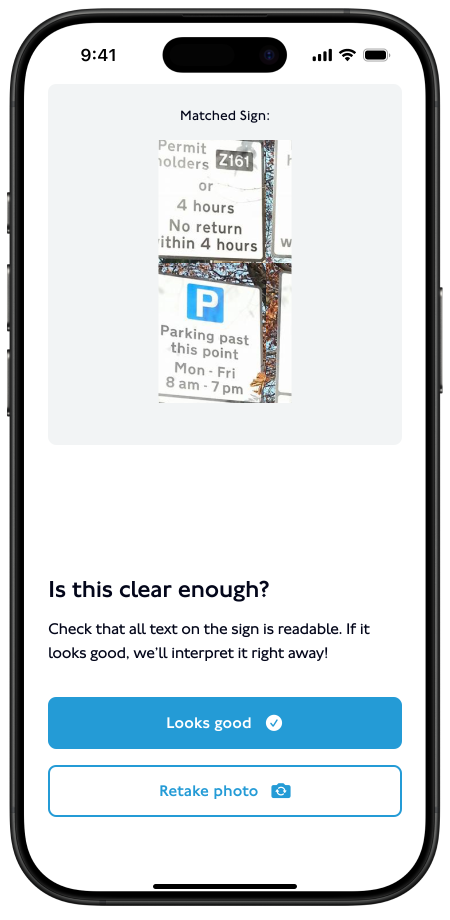
Check the photo before processing
A blurred image can affect everything that follows. The captured photo is shown back to the driver with a prompt to check whether it is clear.
The aim: catch a poor scan before it becomes misleading guidance.
Keep the answer short, make the details available
The result gives drivers a clear starting point. Expandable conditions let them inspect restrictions without reading everything at once.
The aim: support a quick decision while keeping the reasoning visible.
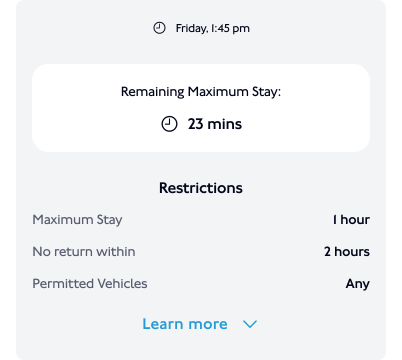
Use the driver's context
Guidance considers the time and vehicle type. A general reading of a sign is not enough when a condition changes the answer.
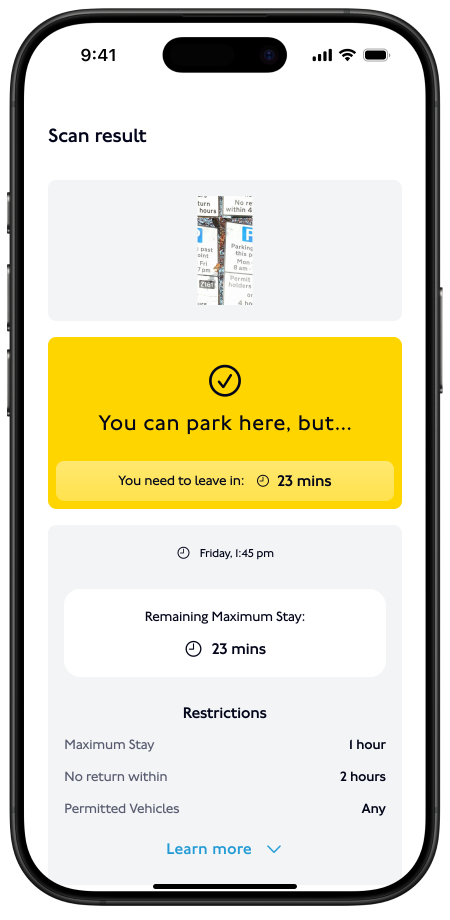
Context-aware guidance
Give failed scans a clear next step
When the sign cannot be interpreted, the recovery path asks the driver to retake the photo rather than leaving them with an unexplained failure.
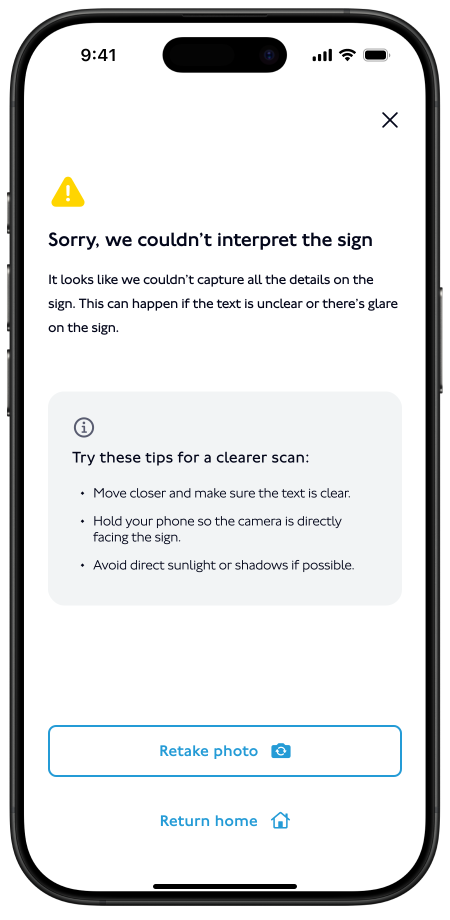
Unreadable sign recovery
Make the parking status easy to find
The result screen gives the parking status visual priority, with the conditions available below.
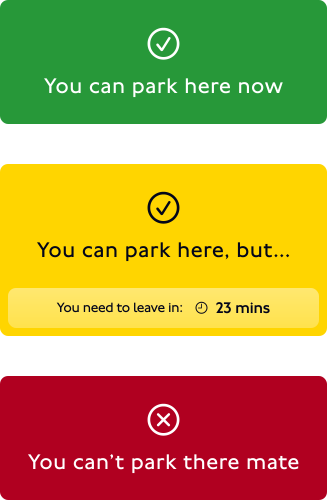
Unreadable sign recovery
04 Testing & Iteration
A fast result still needed an explanation.
The testing described in the original case study surfaced issues beyond the basic scan-and-result flow.
FEEDBACK
DESIGN RESPONSE
Drivers wanted to understand the interpretation.
Added plain-language explanations to the results, especially for rules with exceptions.
Low-light images could be misread.
Identified low-light capture as an area for further work. Improved capture and interpretation needed additional validation.
Some drivers needed other languages.
Identified multilingual support as a future development area.
The original write-up also describes a planned wider beta. Planned testing is kept separate from completed design changes here.
05 High-Fidelity Designs
The mobile experience
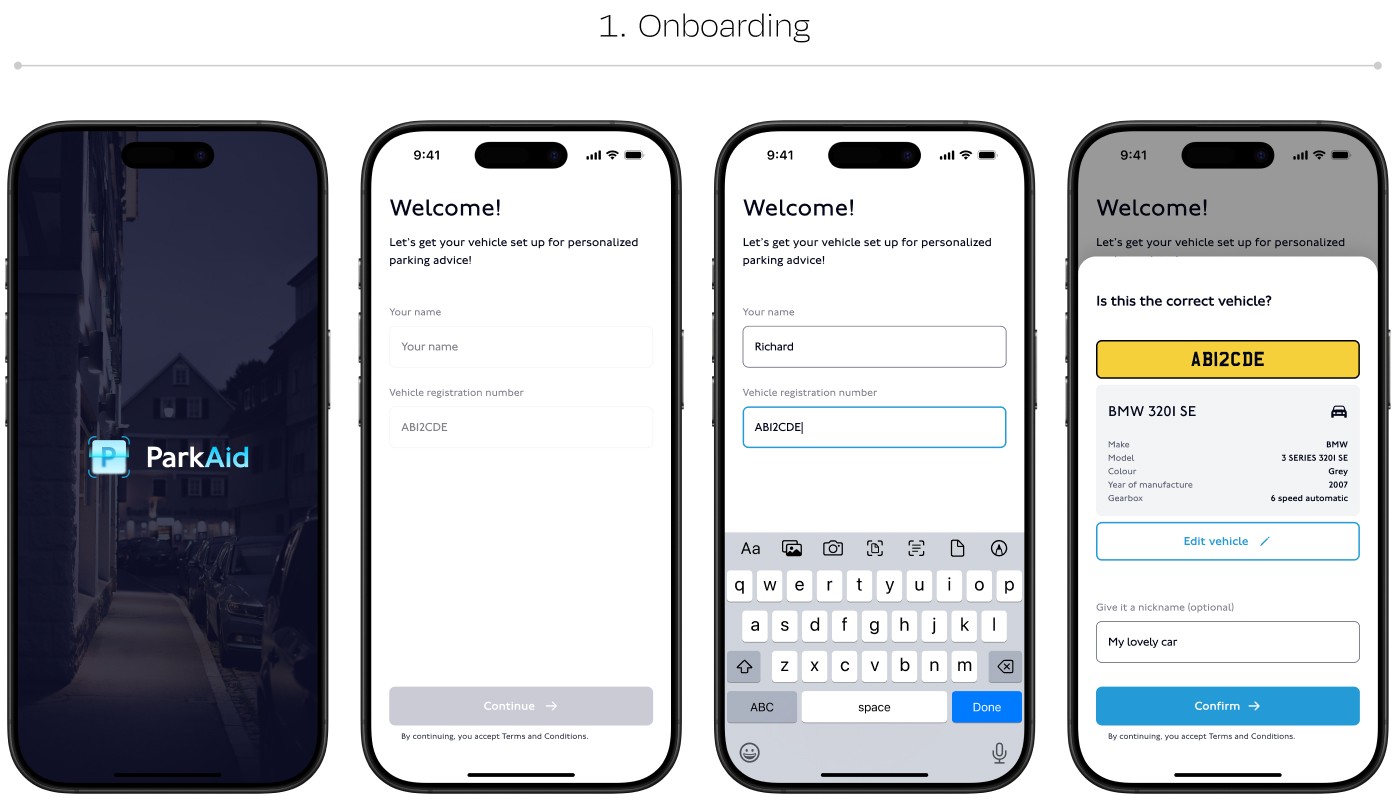
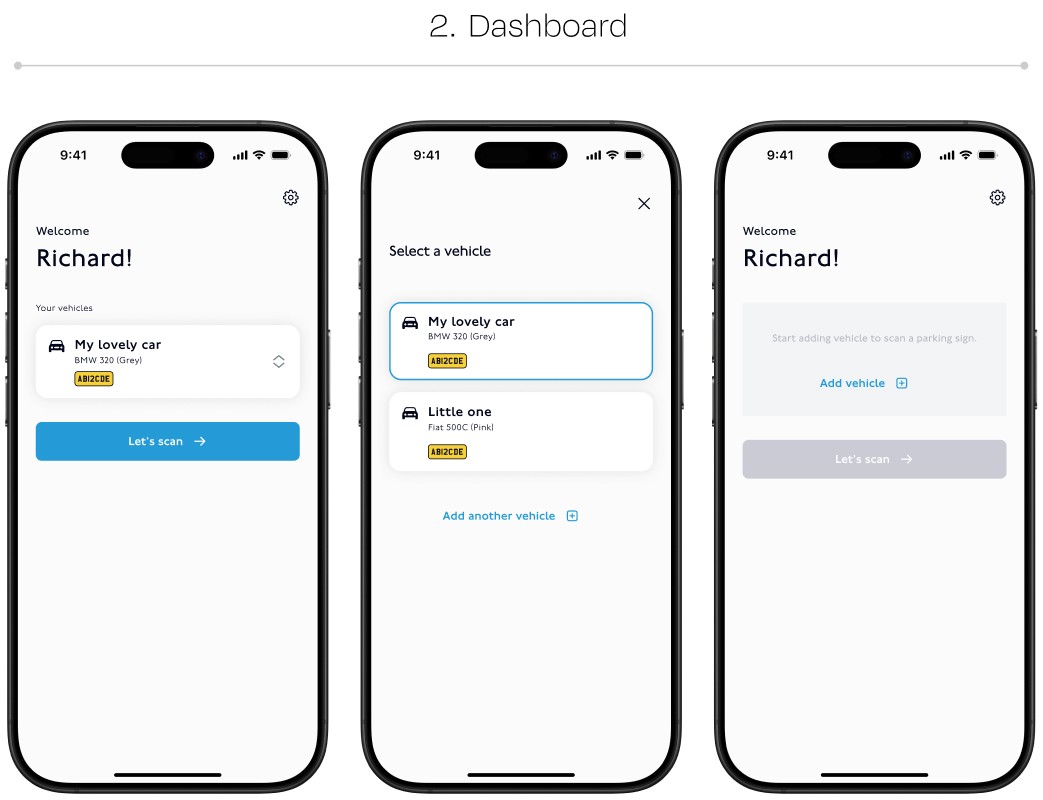
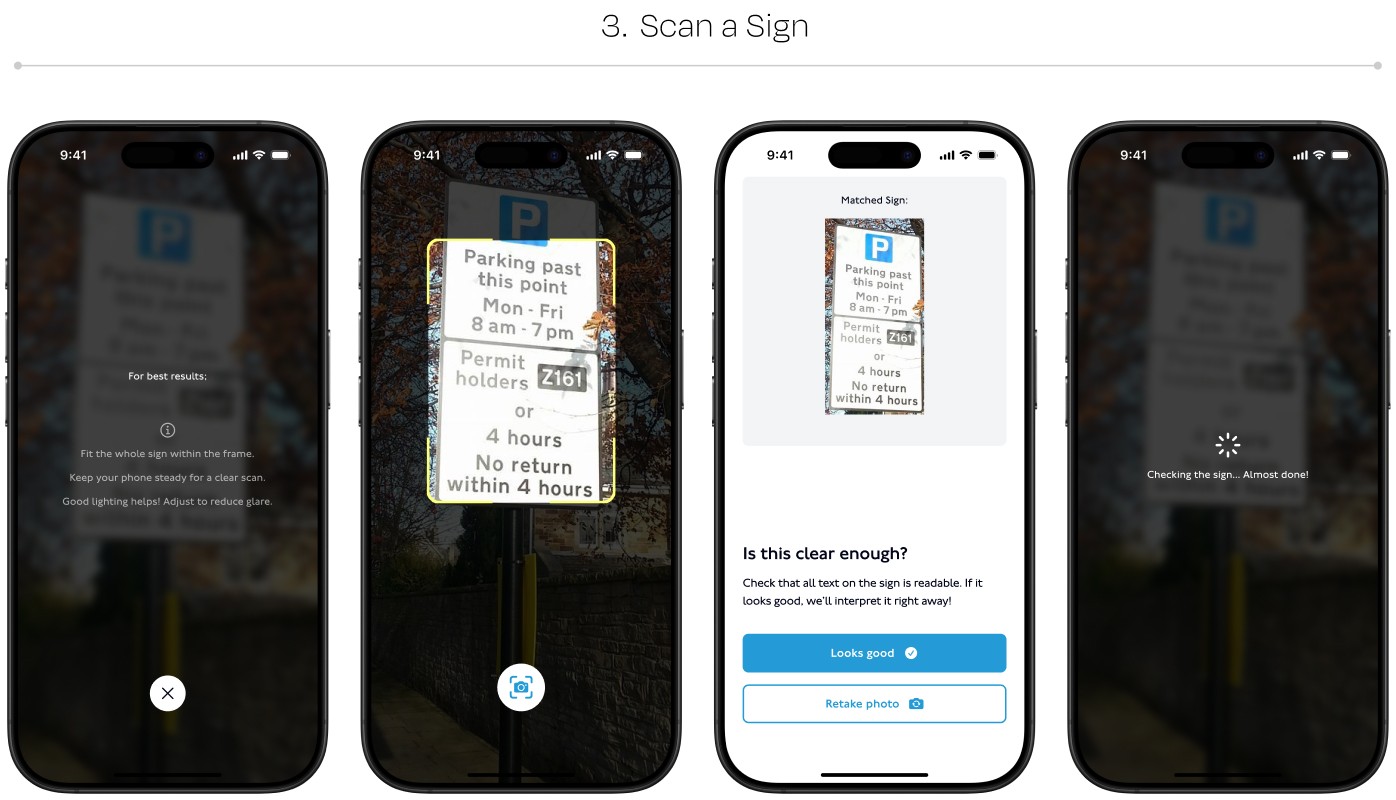
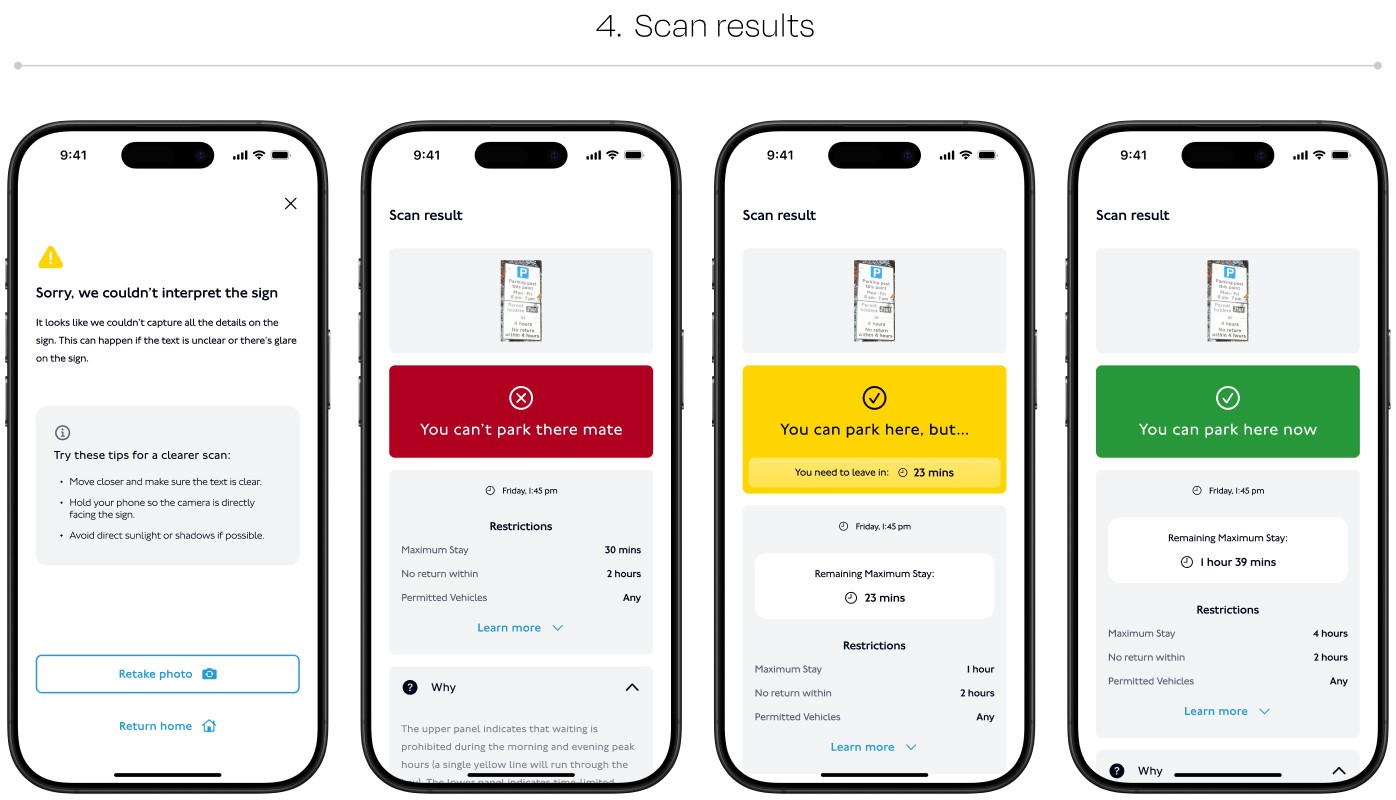
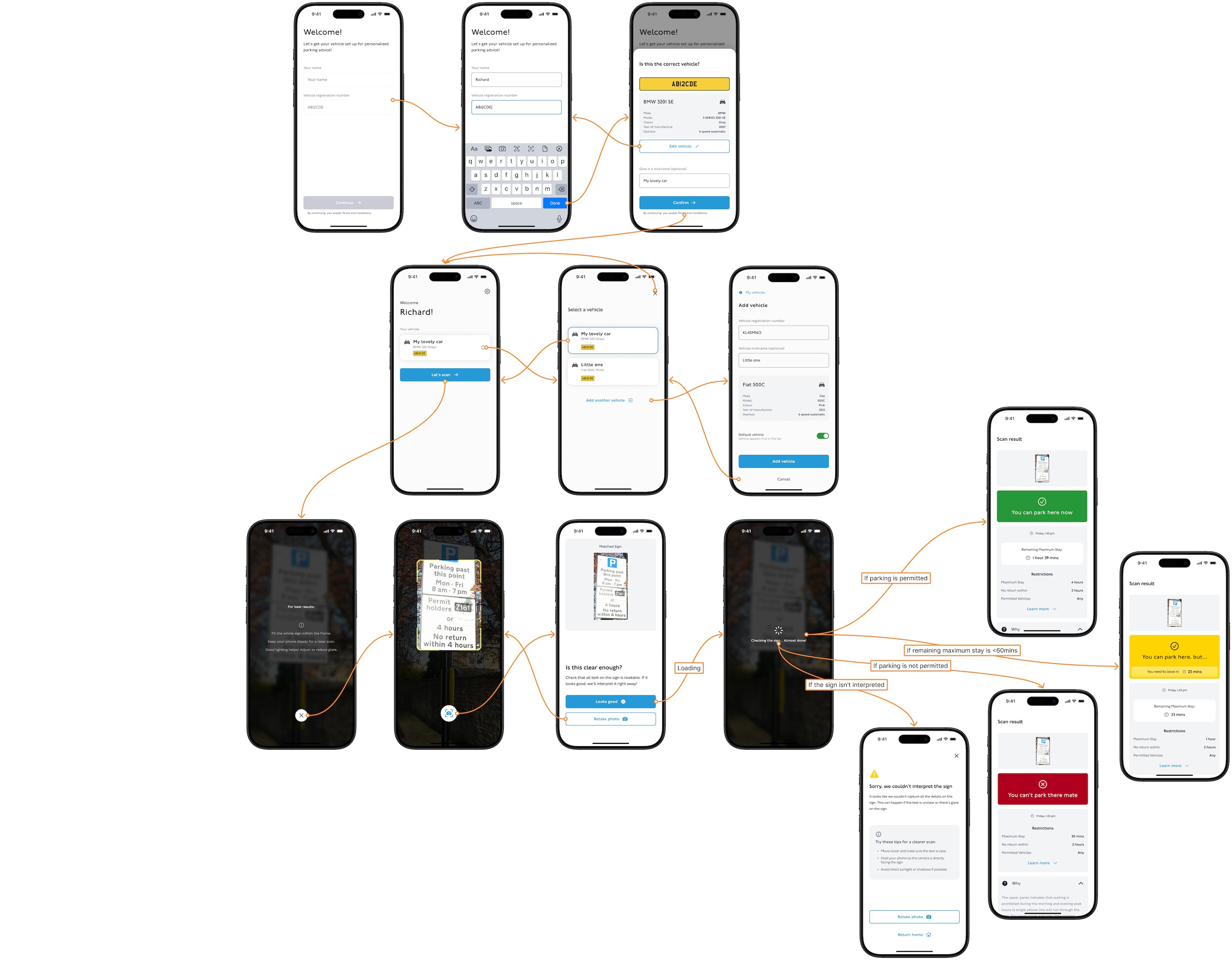
ParkAid mobile user flow
06 The Visual System
A design system build with custom components
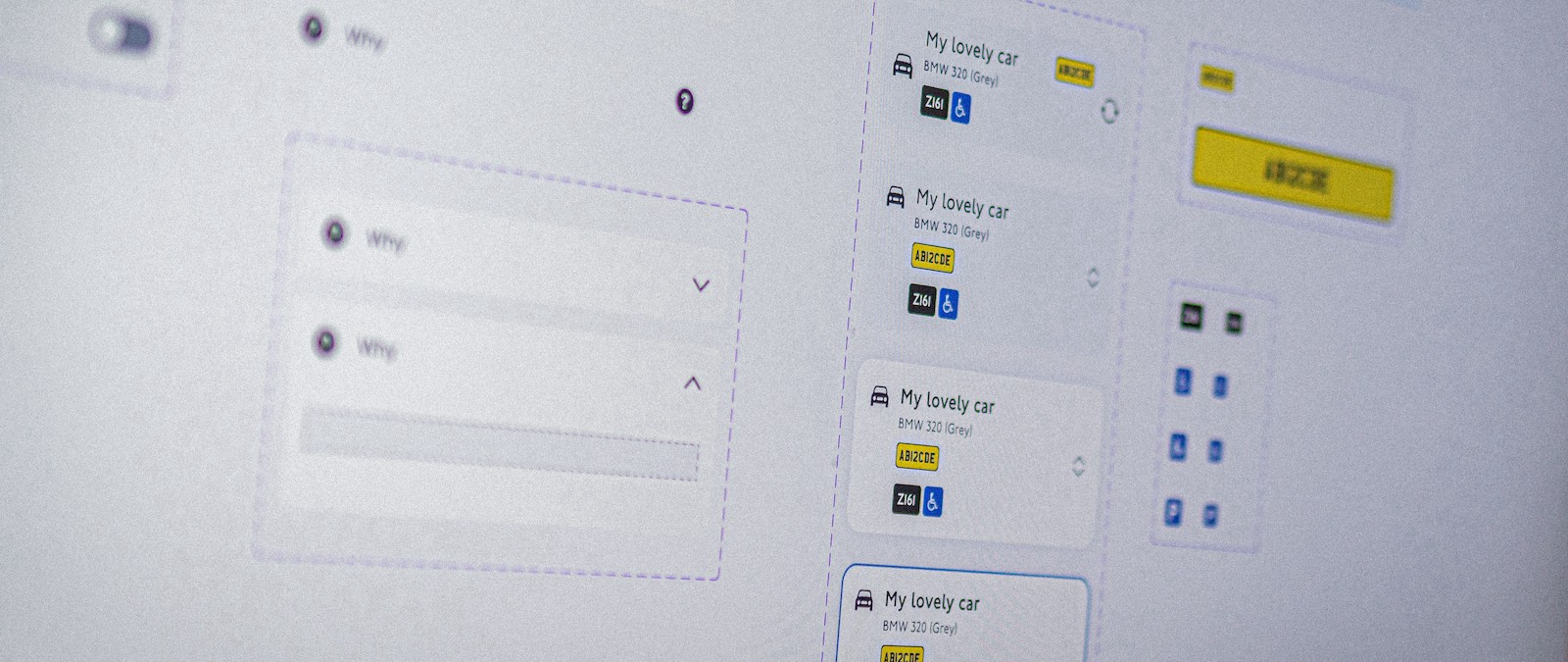
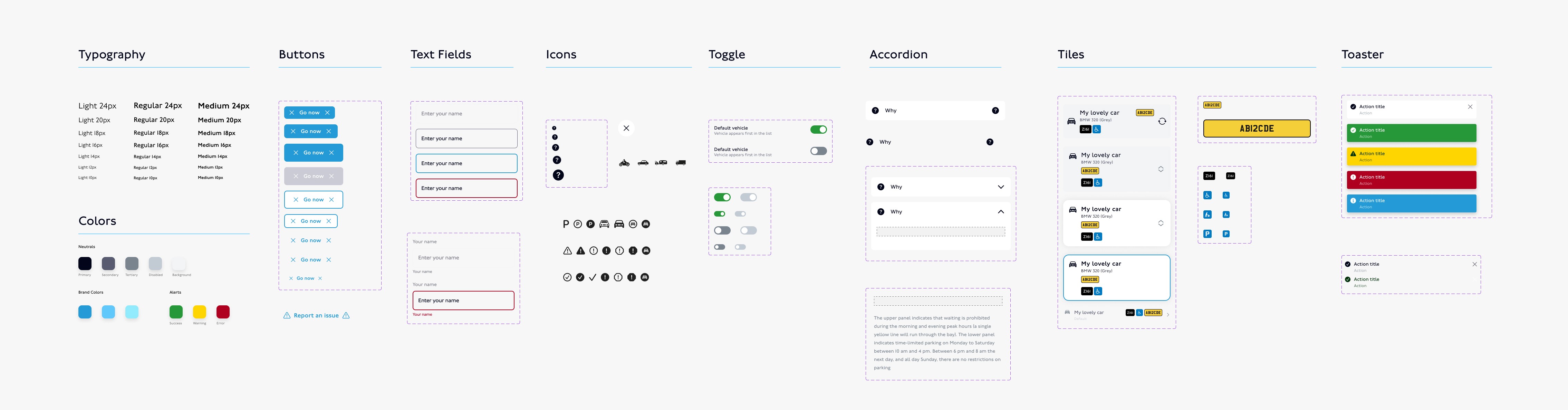
I created a design system with custom components for ParkAid’s mobile experience.
Reusable components helped keep the screens consistent and made it easier to update the interface as the design developed. Figma variables supported shared colour choices, including light and dark modes.
ParkAid design system
ParkAid design system
06 Branding
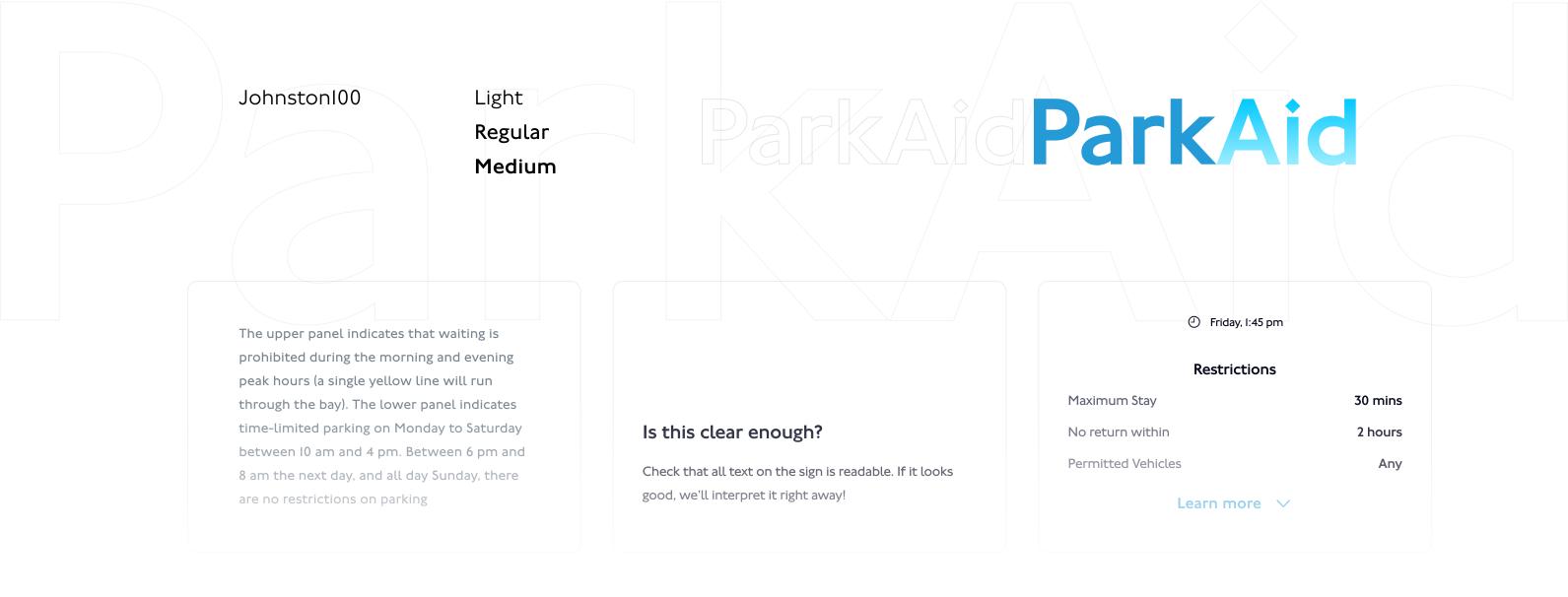
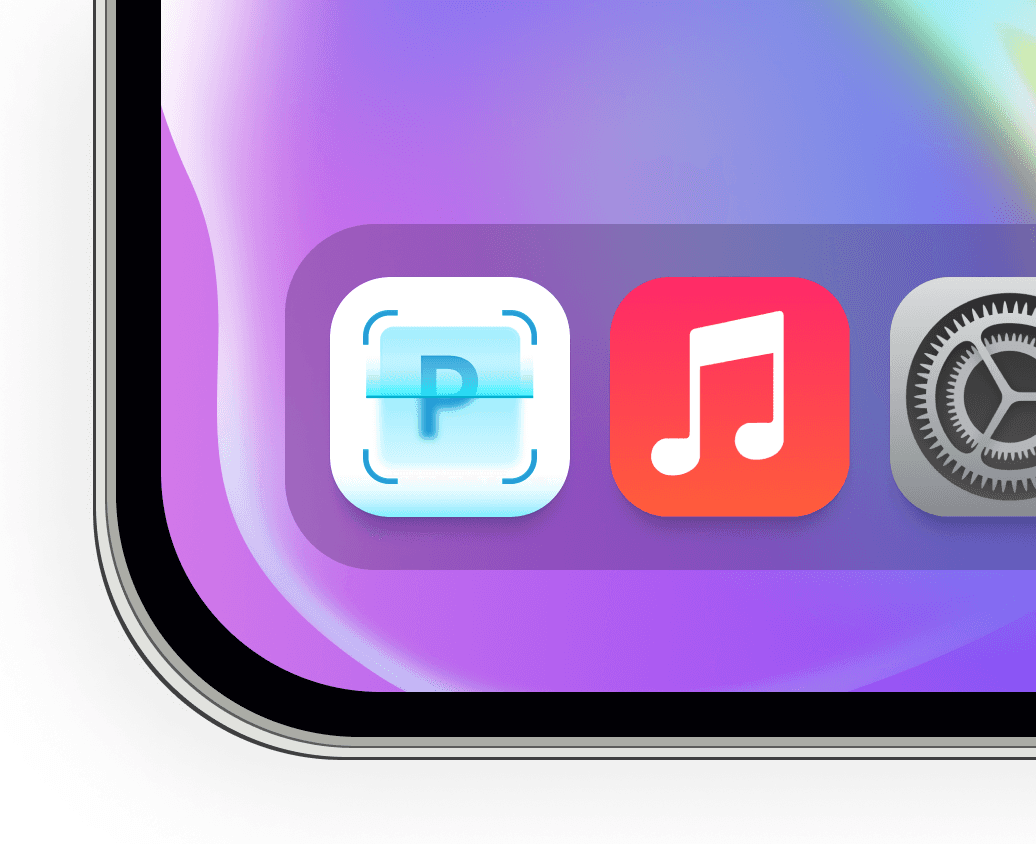
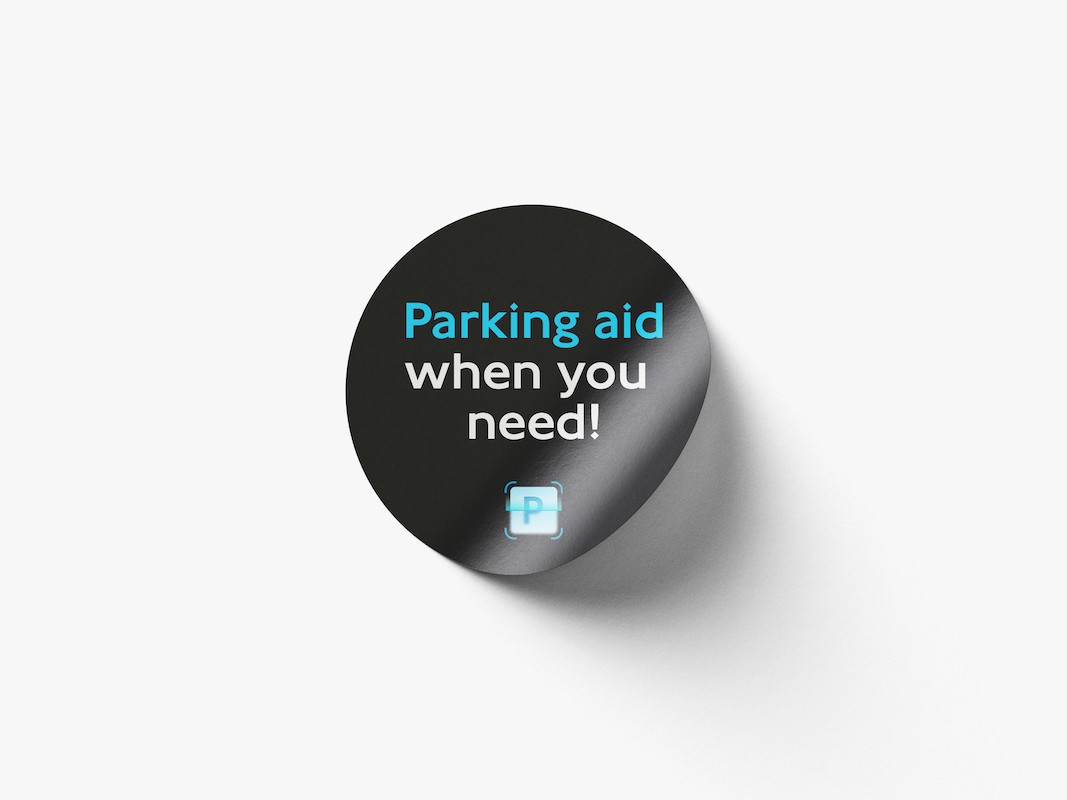
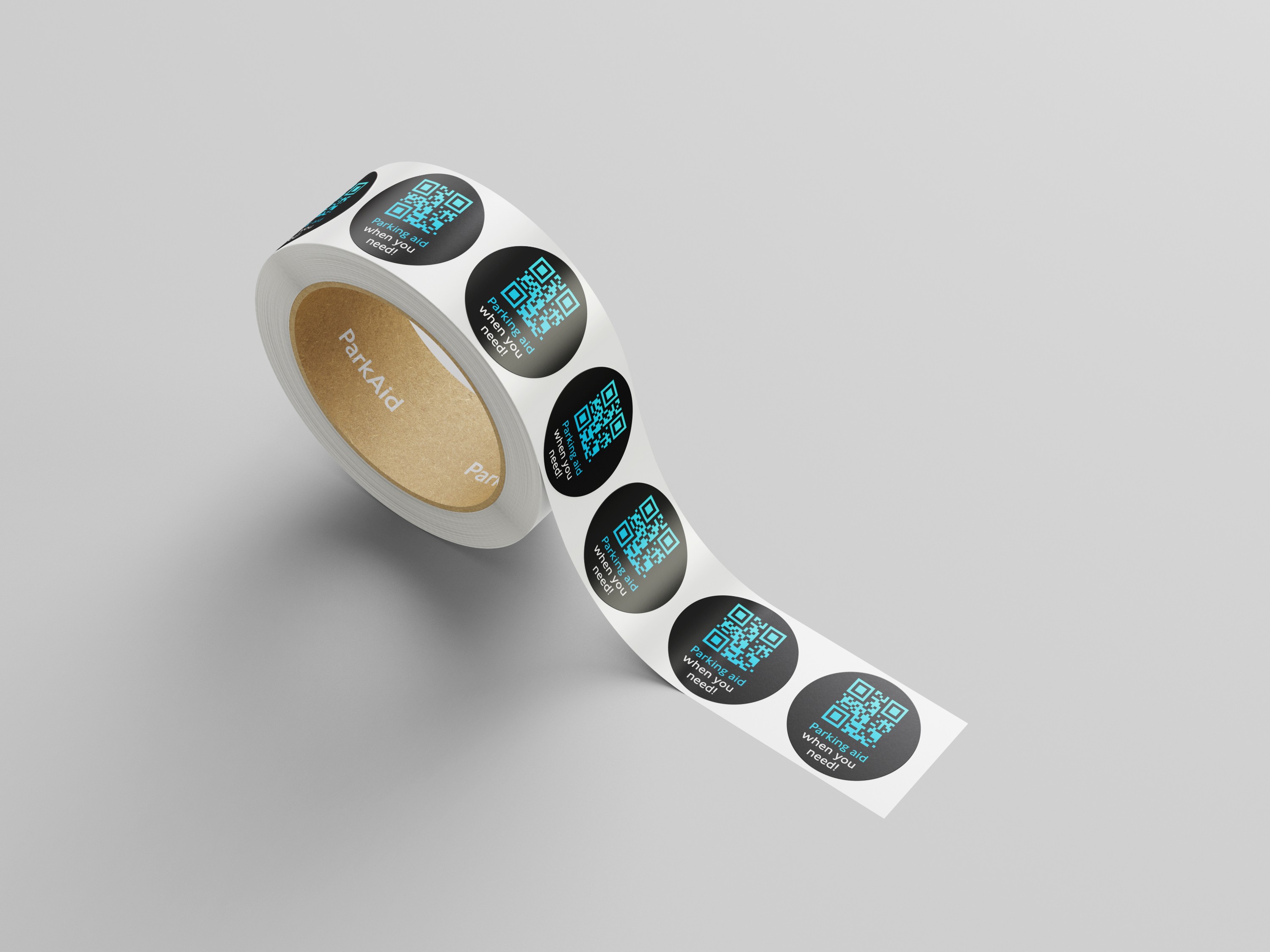
The ParkAid identity

ParkAid research overview
06 Project Impact
From complex rules to a focused mobile flow.
The design brings sign capture, image confirmation, parking guidance and conditions into one journey.
A clearer decision path
The experience gives drivers a result first, with the relevant restrictions available to inspect.
A way to check the input
Photo confirmation and retake guidance make recovery part of the flow.
A foundation for further development
The branding and variable-based design system support consistent screens and theme changes.
Designing an AI-assisted experience means designing the moments around the answer too. The input needs to be clear, the explanation needs to be understandable, and users need a useful next step when something goes wrong.
Test recognition in low light, check complex combinations of restrictions, and validate language support before expanding the experience.
WALGREENS / VELOCITY
Enes Gundogdu 2026
Making complex
work easier to use.